Create a TrustMe account
What do you need?
Tap Sign up
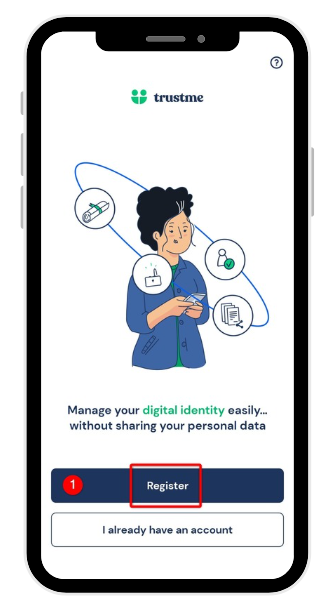
Let's get started! On the TrustMe home screen, tap Sign up to begin creating your digital identity. Already have an account? Use I already have an account instead to sign in directly.
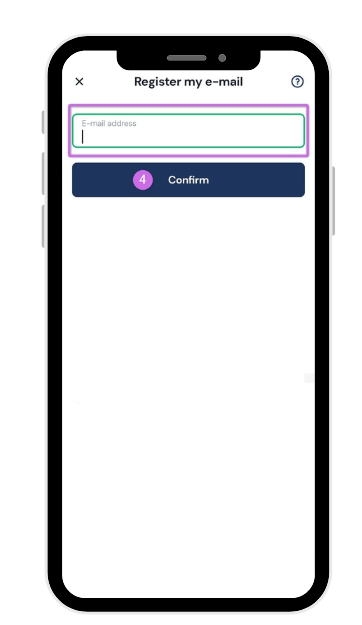
Enter your phone number and email address
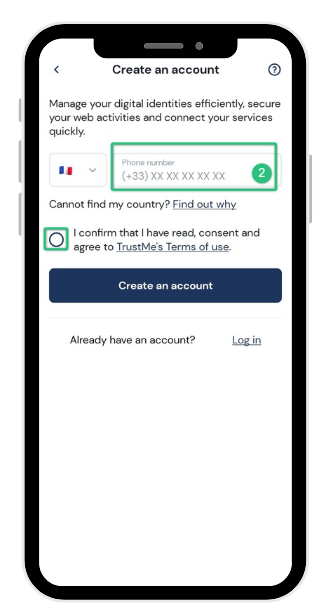
Your phone number and email address are the first building blocks of your TrustMe identity: they will secure your account and let you recover your access if needed. Choose your country code, enter your number and then your email address. Then accept the Terms of use and tap Create an account.
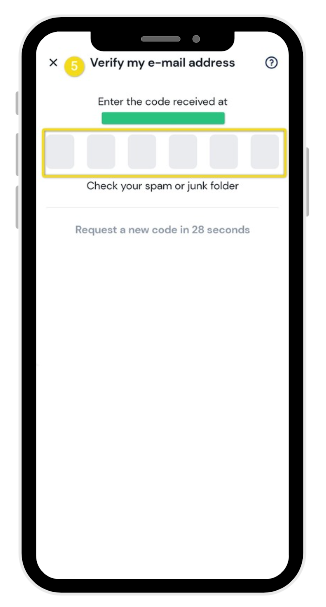
Verify your email address
A 6-digit code has just been sent to you by email: this is our way of making sure this address is really yours. Enter it in the fields provided. Can't find it? Check your spam or junk folder.
Verify your phone number
A second 6-digit code is then sent to you by SMS to confirm your phone number. Enter it to continue. If it doesn't arrive, you can request a new one after a few seconds.
Create your password
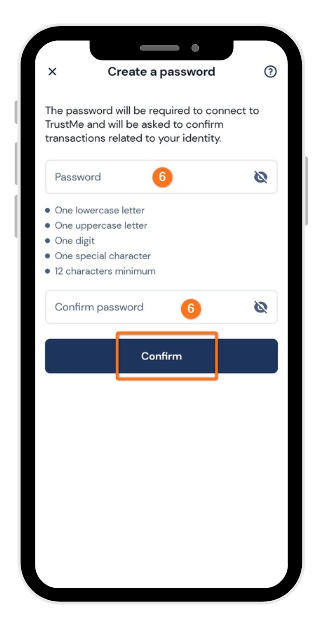
Last step before finishing your account: choose a strong password. It will be used to sign back in if you're logged out, and to confirm sensitive operations related to your identity. It must follow these rules:
- 12 characters minimum
- 1 uppercase letter
- 1 number
- 1 special character
Example: Bernard@1970
Select your use case
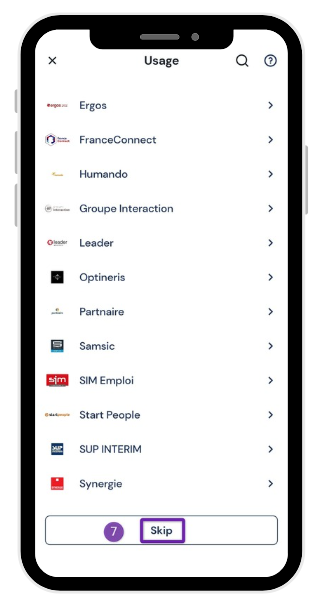
TrustMe adapts to your use case: select FranceConnect to access public services, or the partner company or agency supporting you in your process. If none of these apply to you, simply tap Skip to continue.
Add your supporting documents
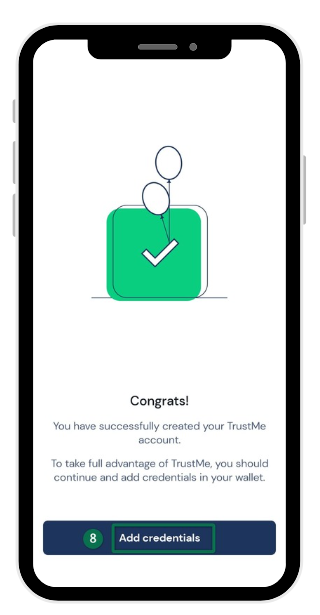
And there you go, your TrustMe account is officially active! To get the most out of it, we recommend adding your ID documents right now by tapping Add documents.
Turn on your phone lock
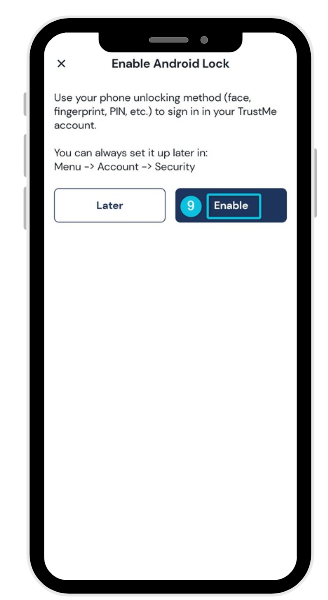
One last recommendation to combine speed and security: turn on TrustMe's lock using the same method as your phone (fingerprint, Face ID, PIN code...). You can always change this setting later from Menu → Account → Security.
Need more information?
Our team is here to help. Contact TrustMe support.