Turn on Android or iOS lock on TrustMe
What do you need?
Open your app
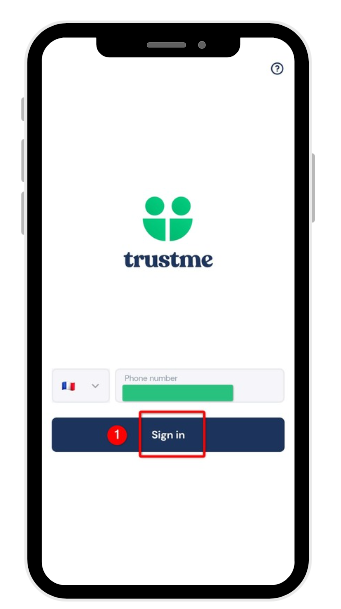
Let's get started! Launch the TrustMe app on your phone and sign in to your account if you haven't already: this is the starting point for strengthening the security of your digital identity.
Open the menu
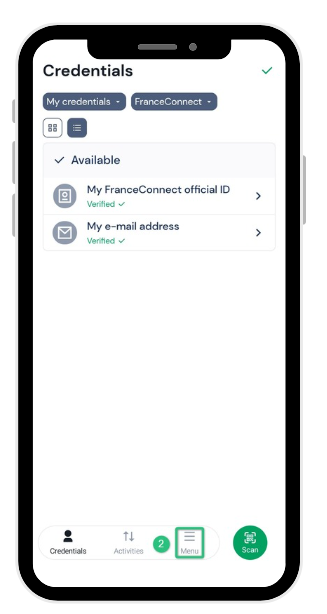
Once signed in, go to the bottom right of the screen and tap Menu: this is where you access all your account settings.
Access your account
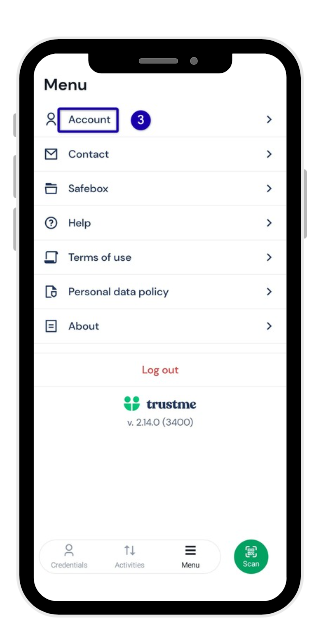
From the list that appears, select Account: you'll find all your personal settings there, including those related to your security.
Open the Security section
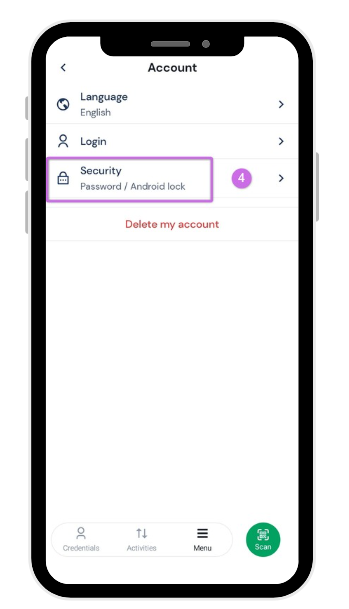
Still in Account, tap Security, at the bottom of the list: this is where — and only where — all protection for your app is managed.
Turn on the lock
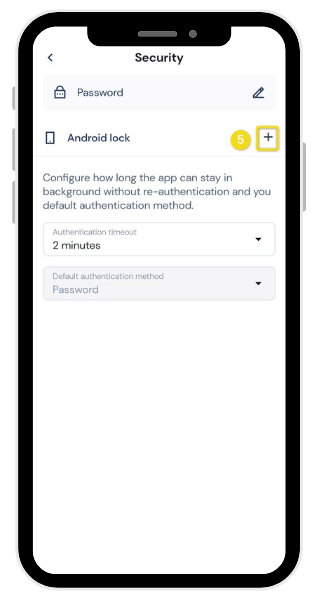
Almost done: tap the blue + button at the bottom right. To confirm the activation, simply use one of the security methods already set up on your phone: Face ID, fingerprint, password, pattern, or PIN code.
Finish the setup
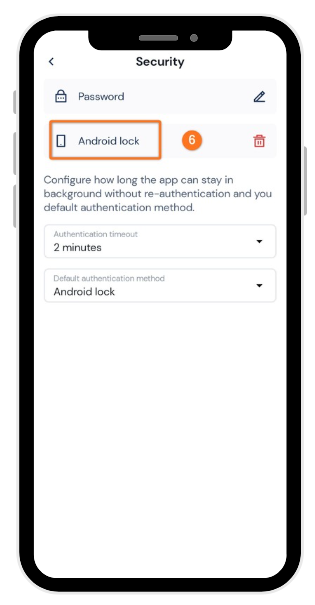
Congratulations, your TrustMe app lock is now on! Each time you open the app, you'll simply need to use the method you chose to access your account again, quickly and securely.
Need more information?
Our team is here to help. Contact TrustMe support.