How to reset your password
What do you need?
Tap "Forgot password"
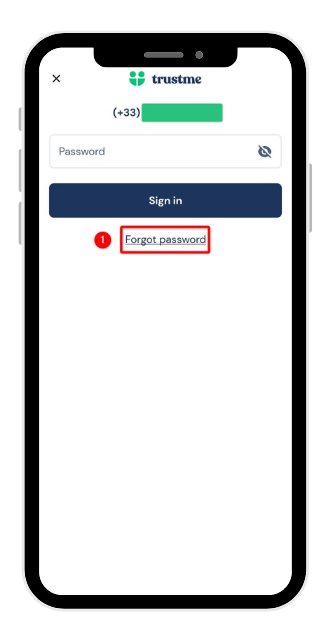
No need to worry! On the sign-in screen, just below the password field, tap Forgot password to start the reset.
Enter your number and start the reset
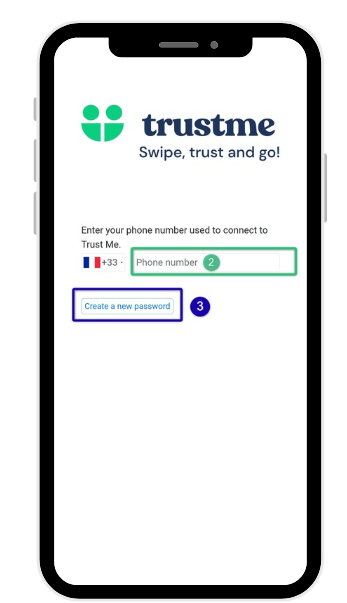
Enter the phone number you normally use to sign in to TrustMe, then tap Create a new password.
Verify your phone number
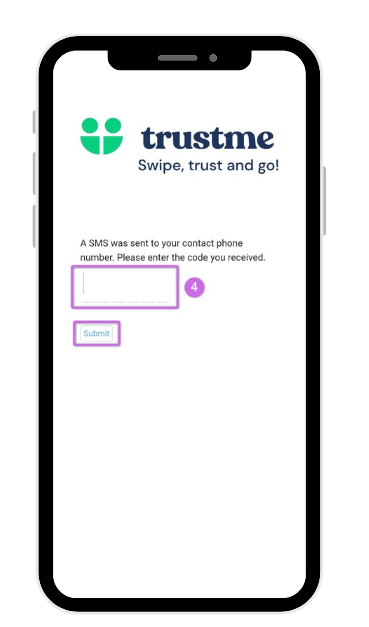
An SMS with a 6-digit code has just been sent to this number. Enter it, then tap Send.
Confirm your identity
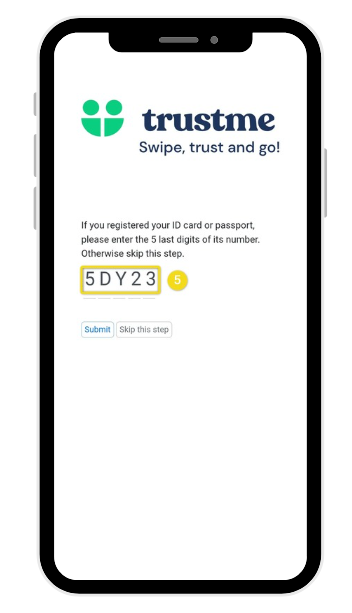
If you've registered an ID card or passport, enter the last 5 characters of its number (in uppercase if needed). If you haven't added an ID document, you can simply skip this step.
Depending on your document, this number isn't always in the same place. Here's where to find it:
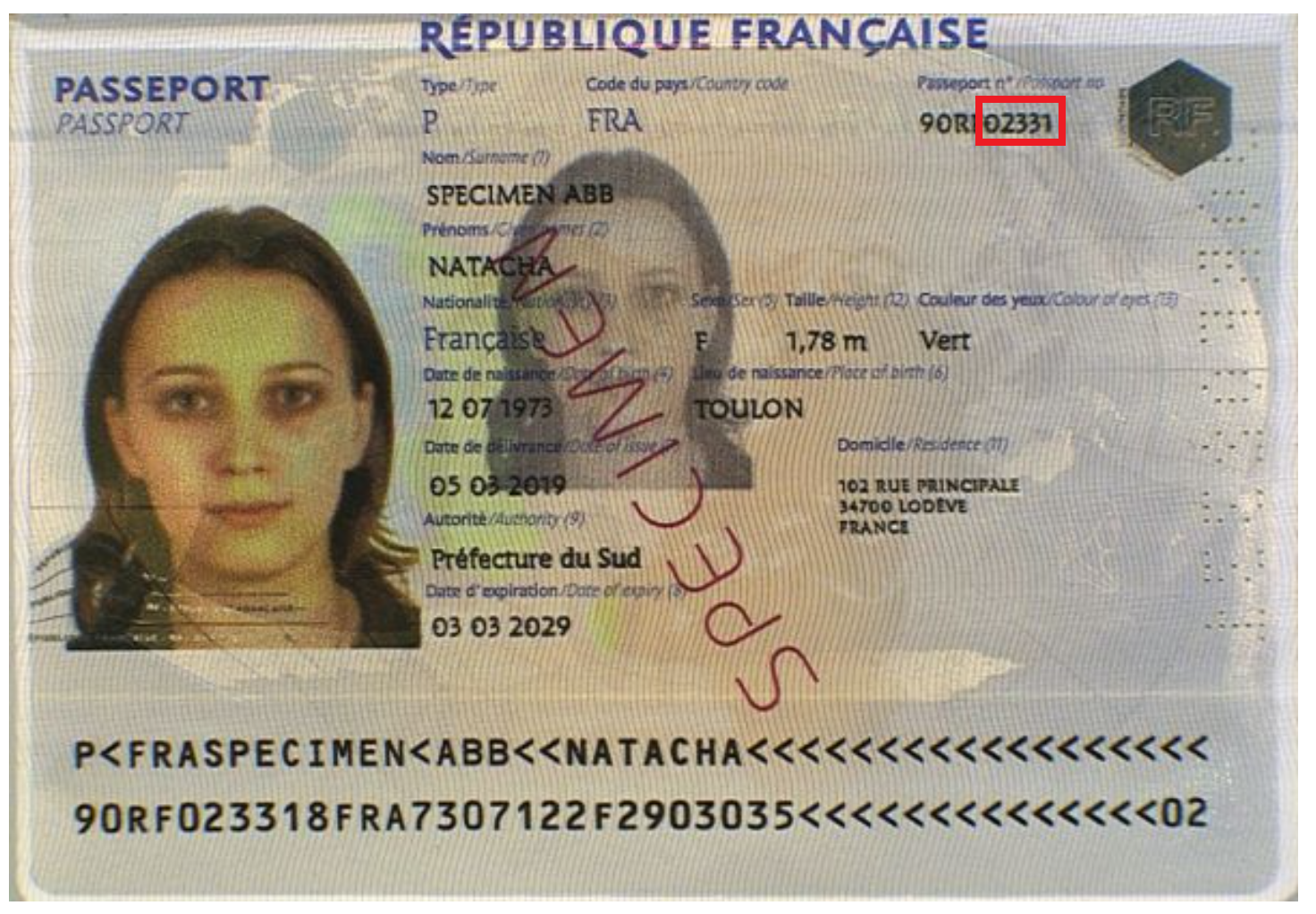
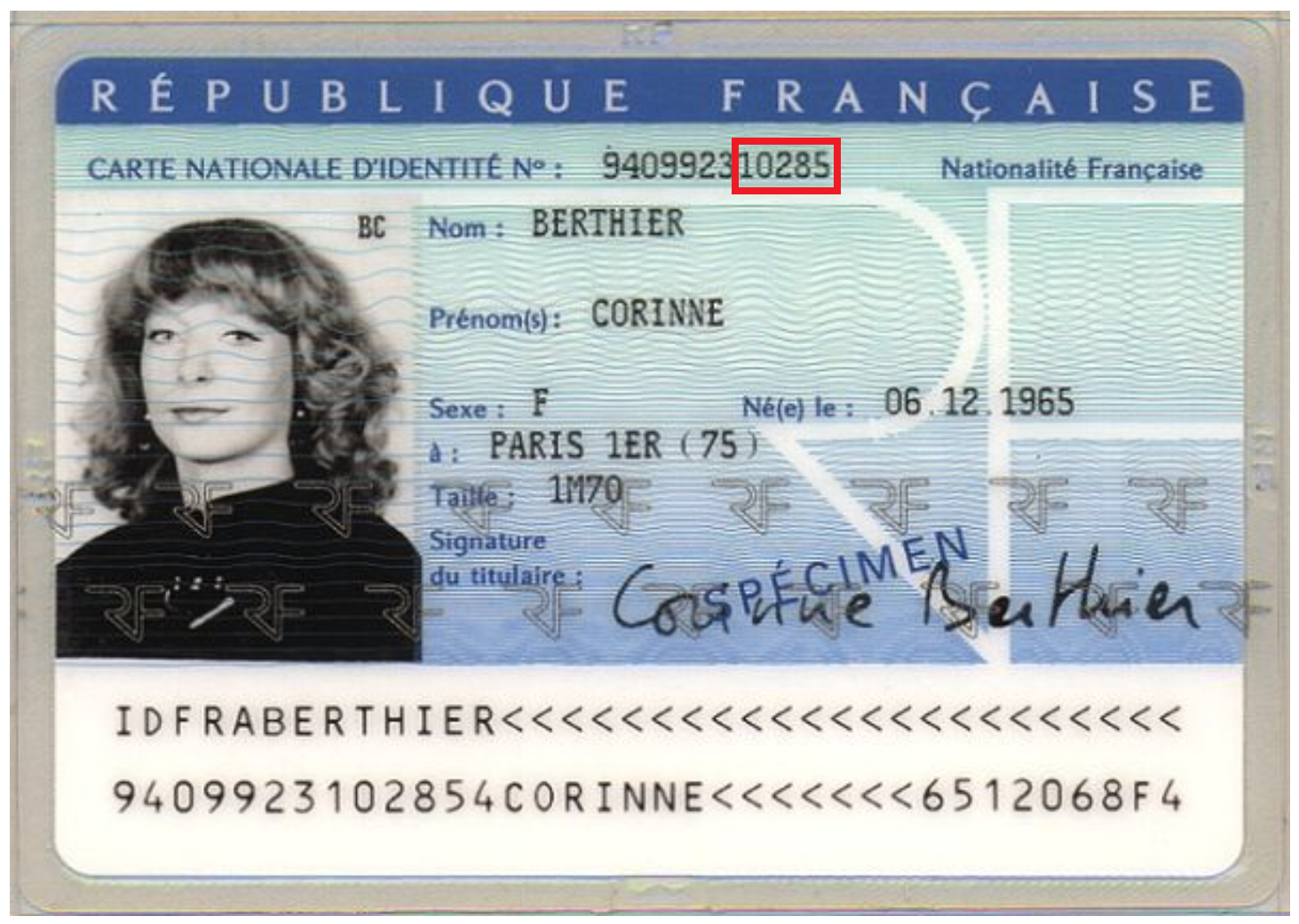
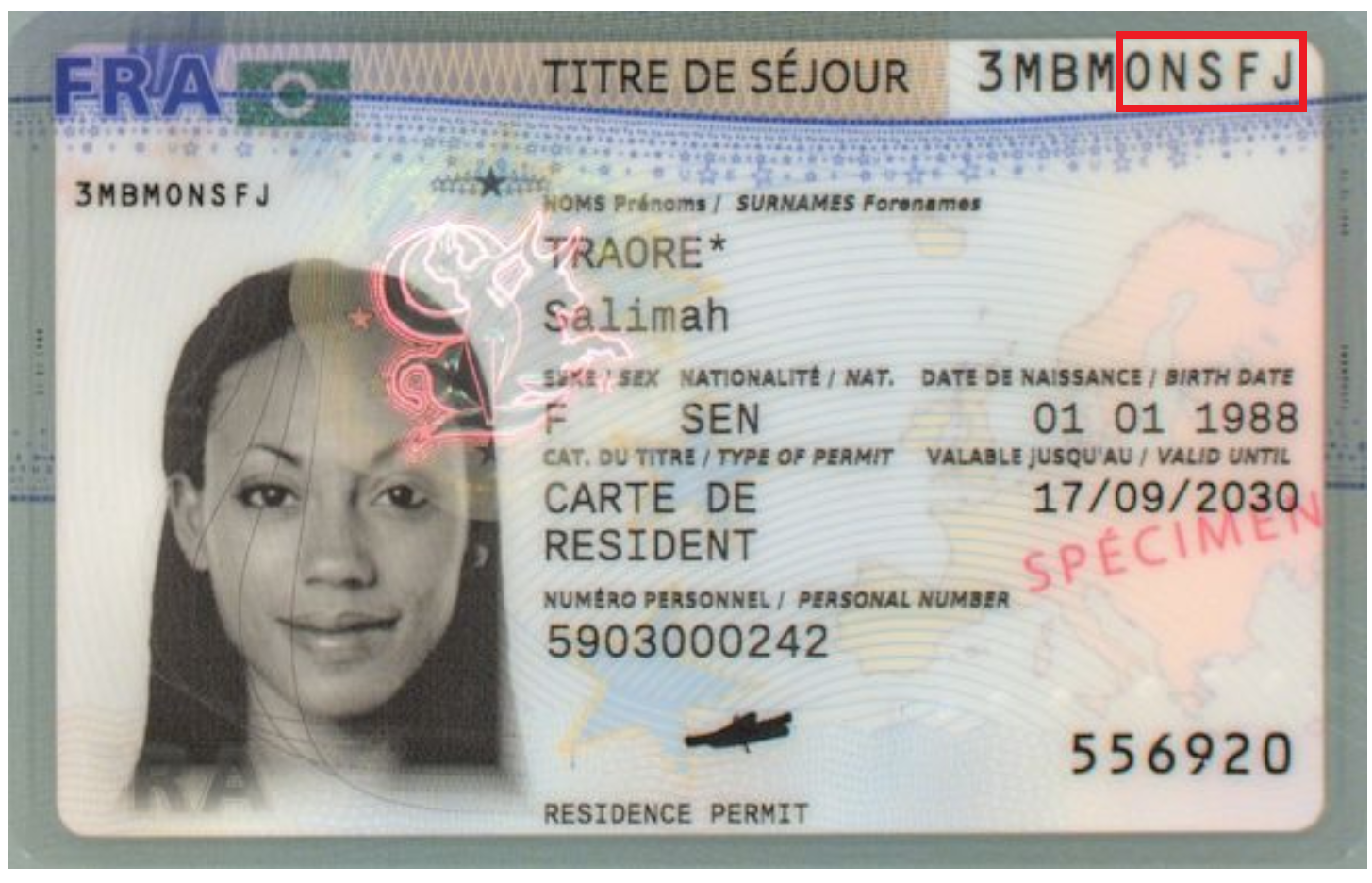
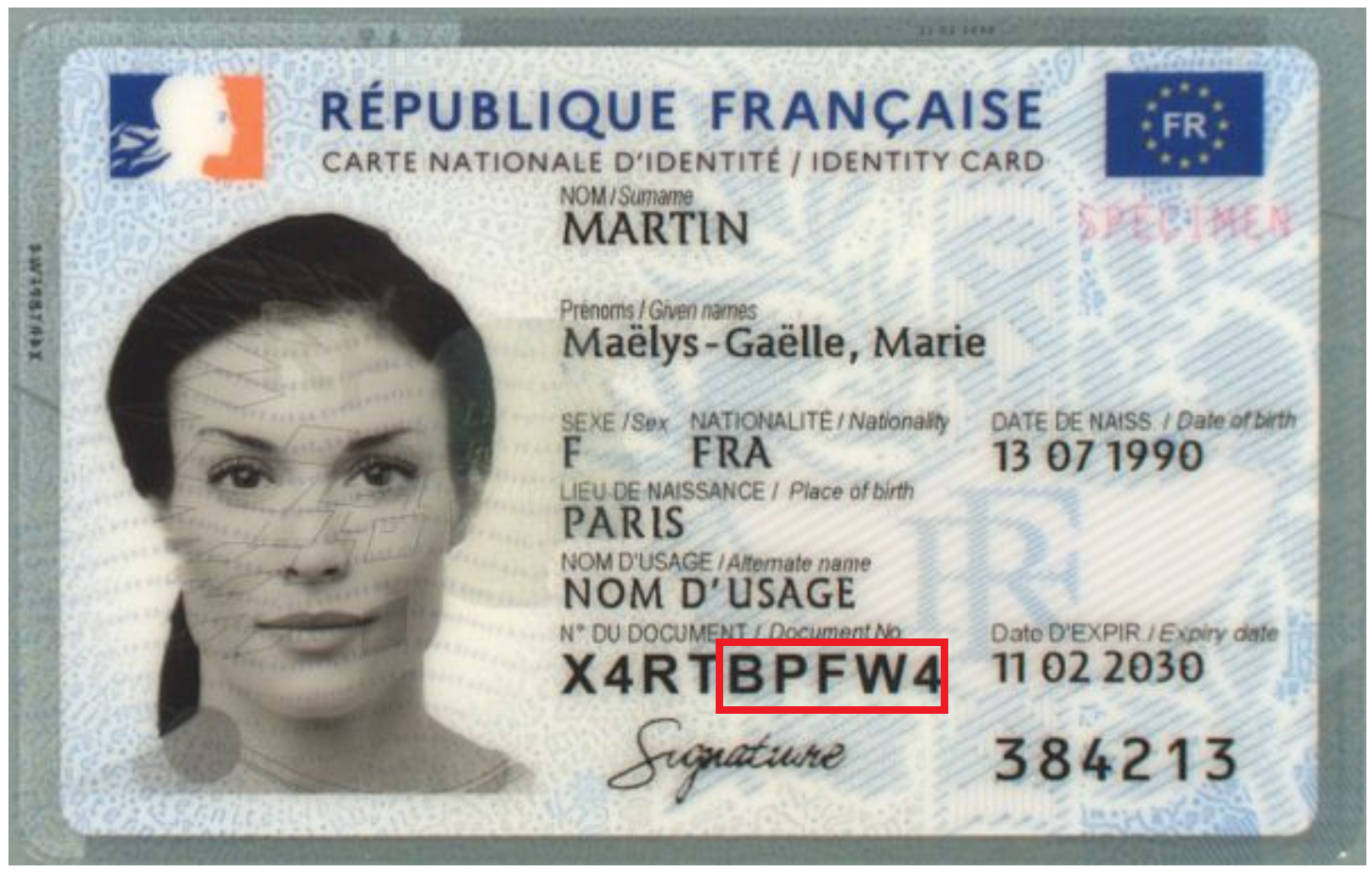
Can't find this number, or is it still not working? Contact us, our team will be happy to help.
Create your new password
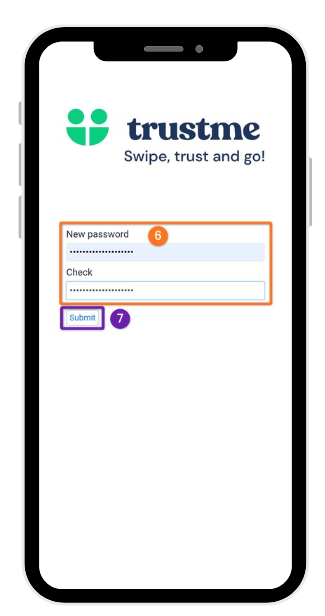
Last step: choose a new password following the usual rules:
- 12 characters minimum
- 1 uppercase letter
- 1 number
- 1 special character
Confirm it, then tap Send. Congratulations, your password has been reset and you can access your account again!
Need more information?
Our team is here to help. Contact TrustMe support.